Rotate brrr webhook secrets
Rotating a webhook secret gives you a new URL and invalidates the old one. You usually only need to do this if a secret may have been exposed.
Typical cases are a webhook URL being pasted into a public repo, shared in chat, left in logs, shown in a screenshot, or otherwise handled in a way you no longer trust.
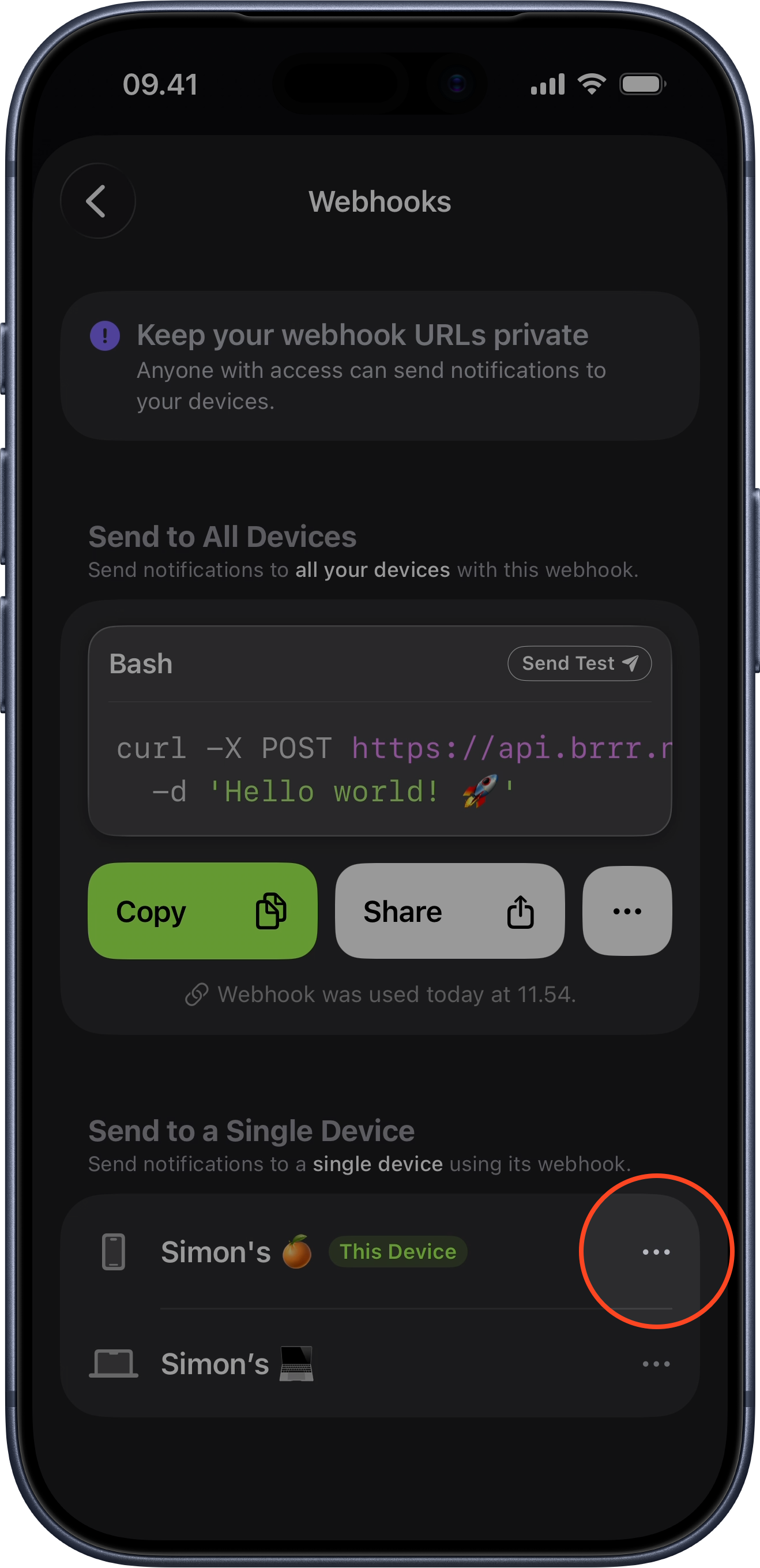
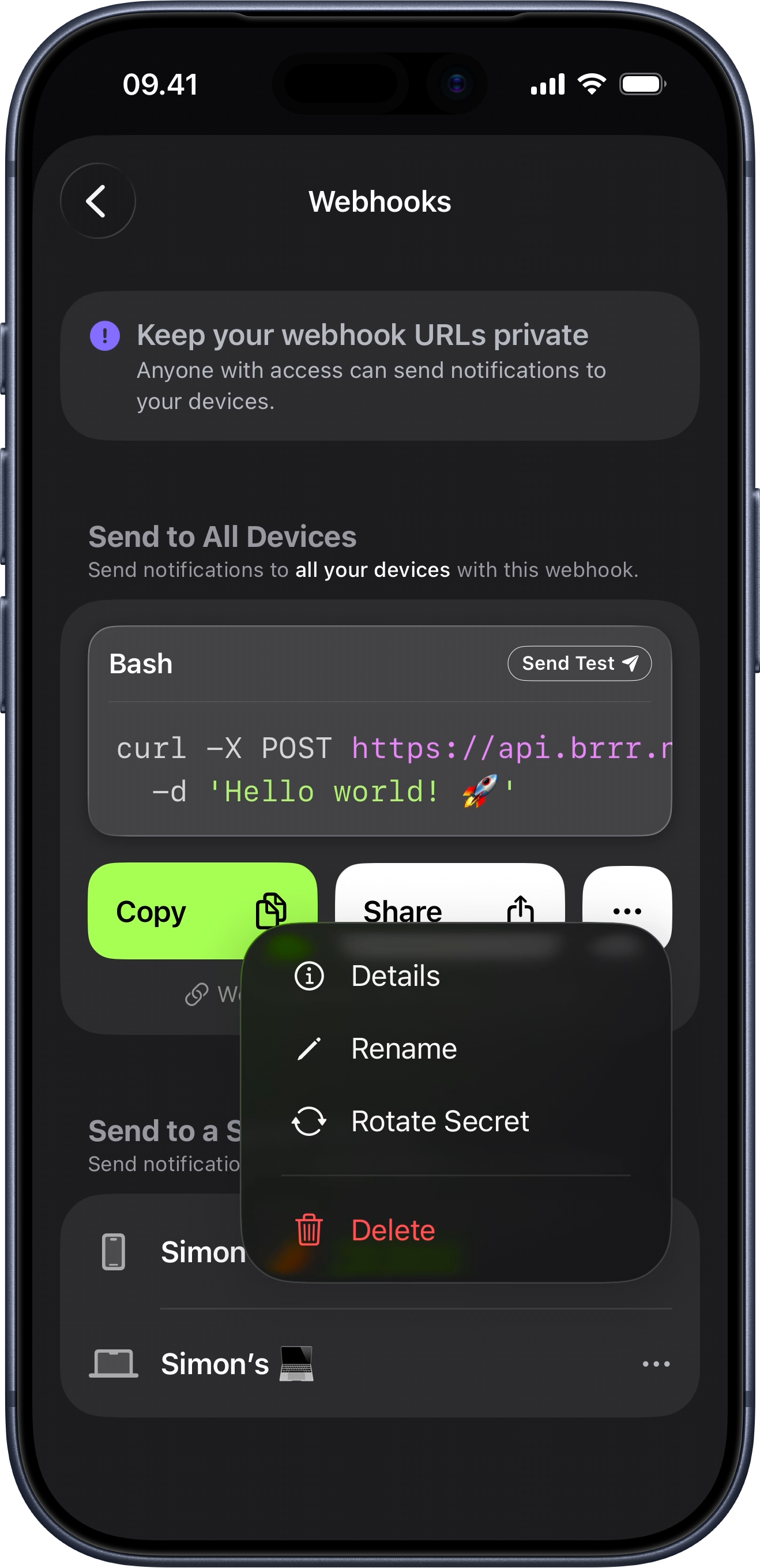
Rotate the shared webhook
The shared webhook is the one that sends to all of your devices at once. It can be rotated from any device signed into your account.
Rotate it on whichever device is convenient, then update any automations or integrations that were using the old shared webhook URL.
- Open brrr on any of your devices.
- Navigate to Webhooks. On iPhone, this is in Settings.
- Find the shared webhook that sends to all devices.
- Select the ellipsis menu for the shared webhook.
- Choose the rotate action and confirm it.
- Update any automations or integrations that were using the old shared webhook URL.
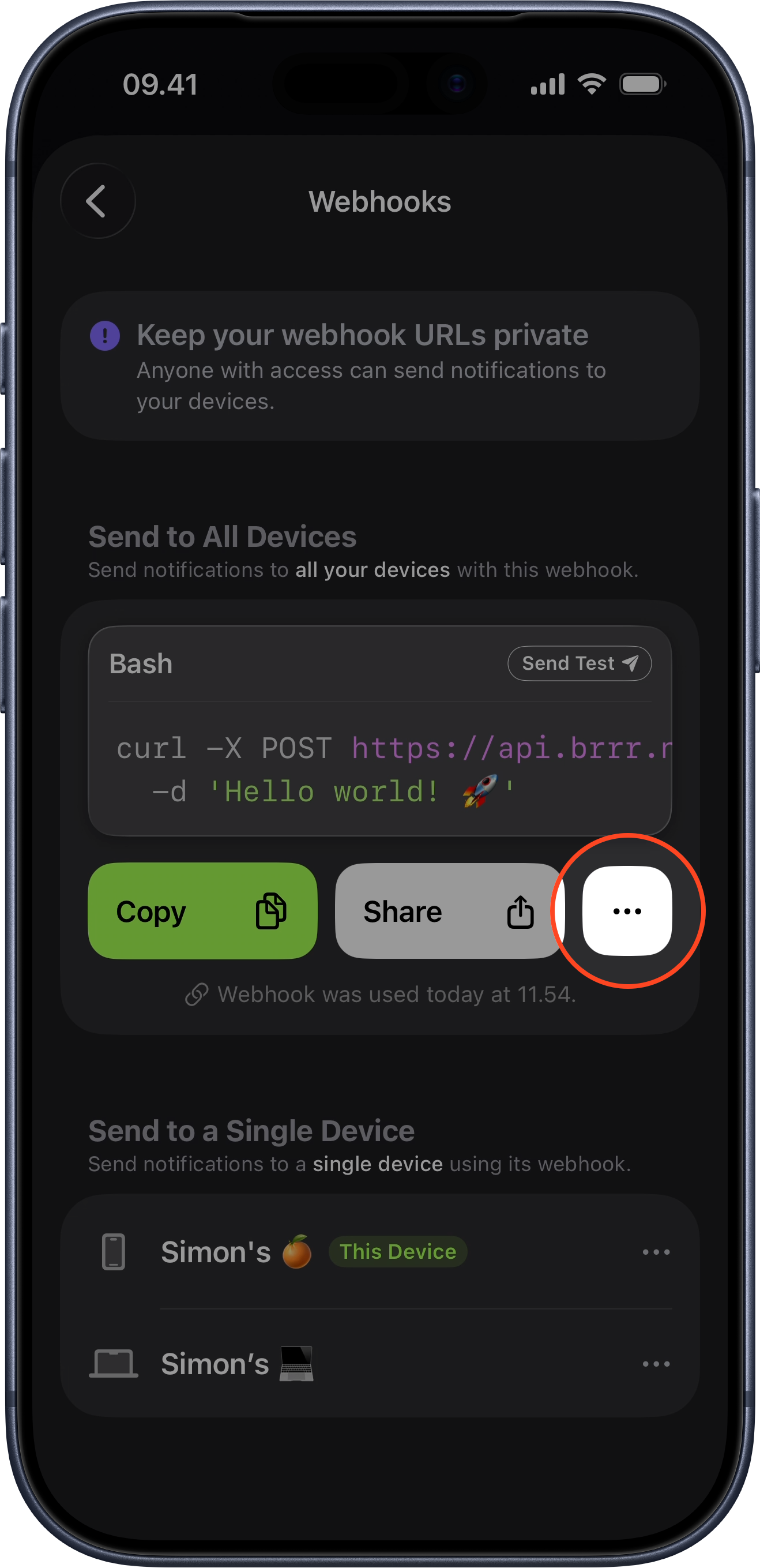
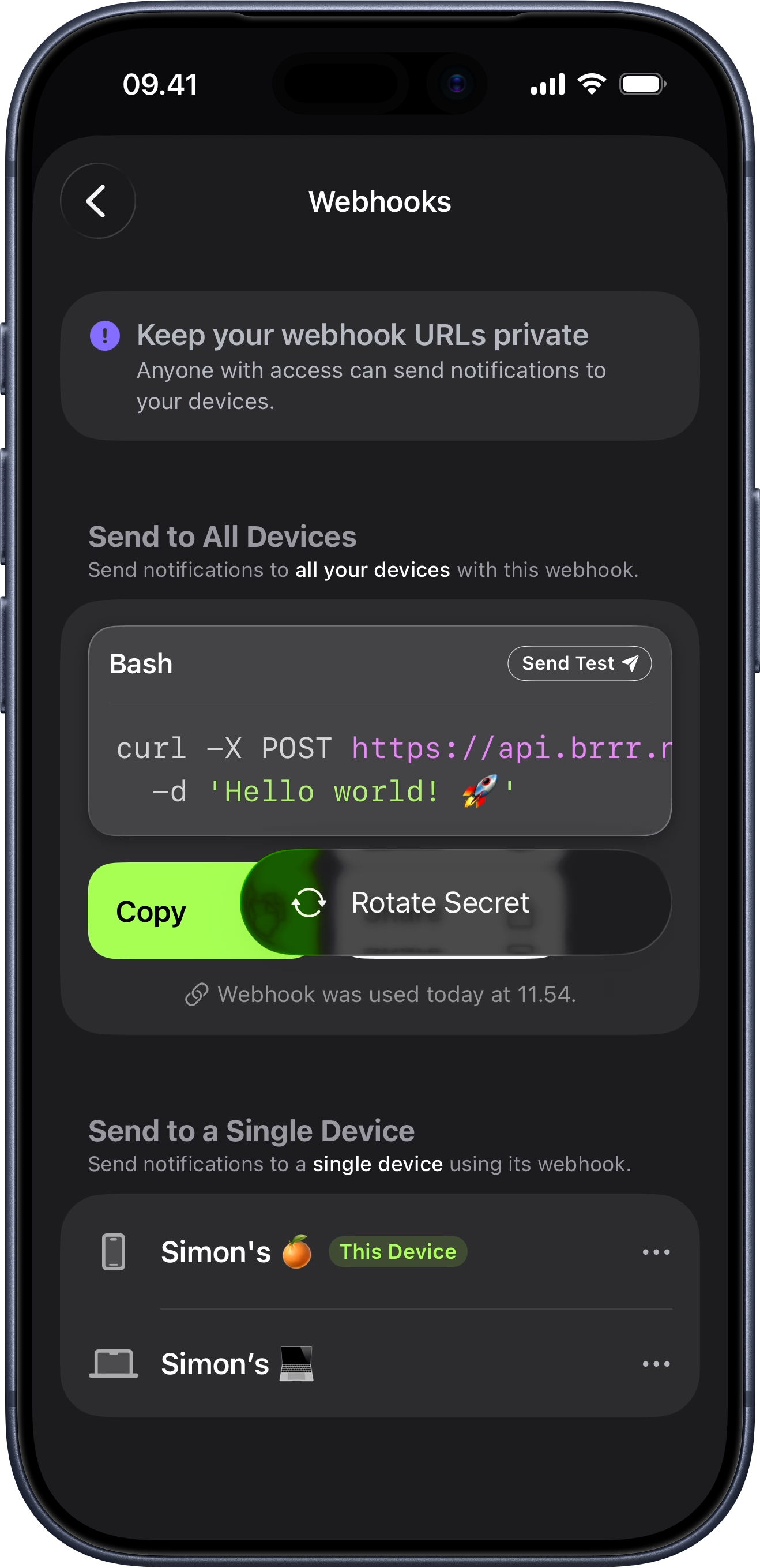
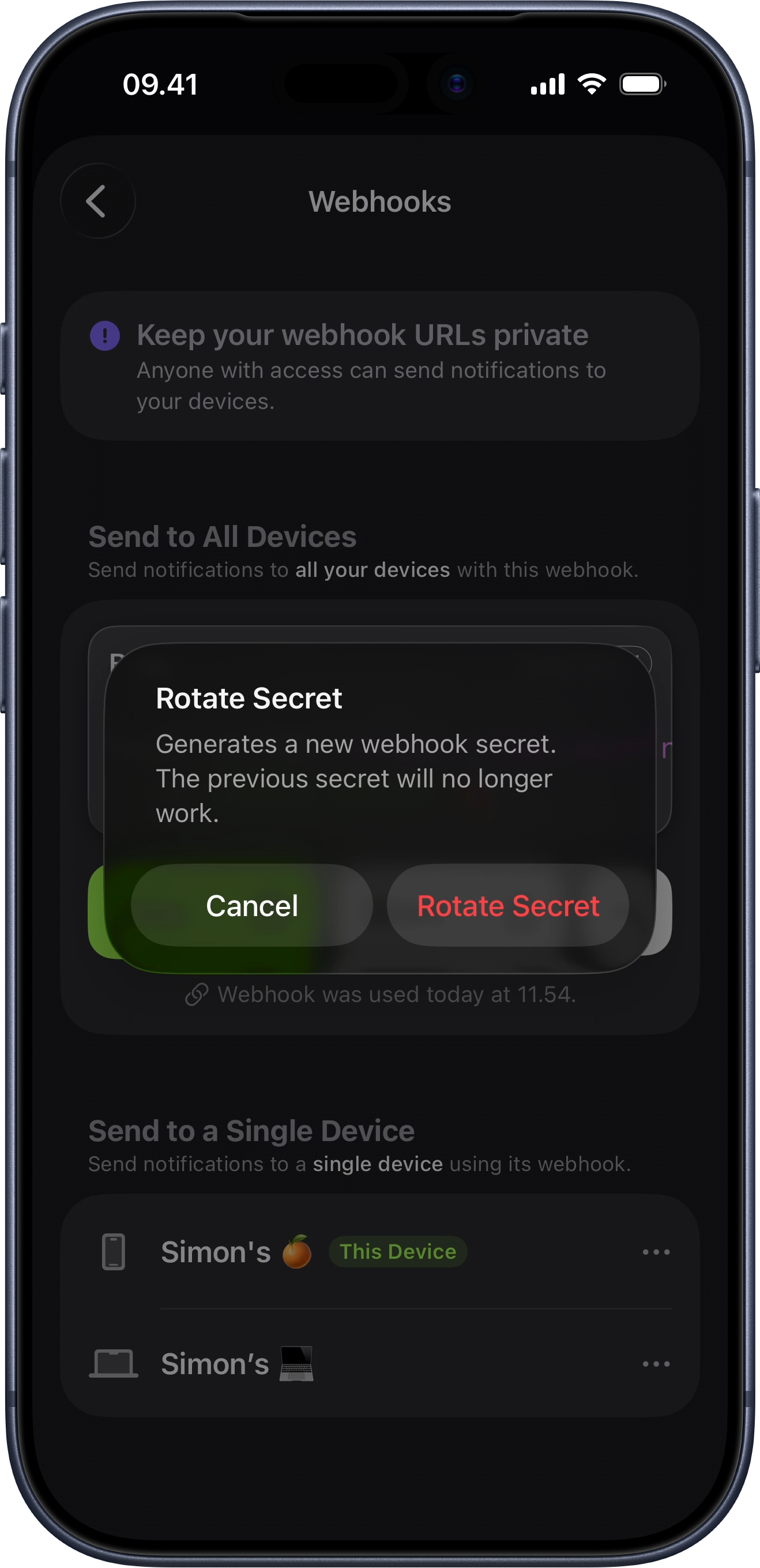
Rotate a device-specific webhook
Device-specific webhooks only send to one device, and they can only be rotated on that specific device.
If a device-specific webhook is exposed, open brrr on that device and rotate it there. After that, update the integrations that target that device so they use the new webhook URL.
- Open brrr on the specific device whose webhook you want to rotate.
- Navigate to Webhooks. On iPhone, this is in Settings.
- Find the device-specific webhook for that device.
- Select the ellipsis menu for that webhook.
- Choose the rotate action and confirm it.
- Update the integrations that were using the old device-specific webhook URL.