Integrate brrr with Zapier
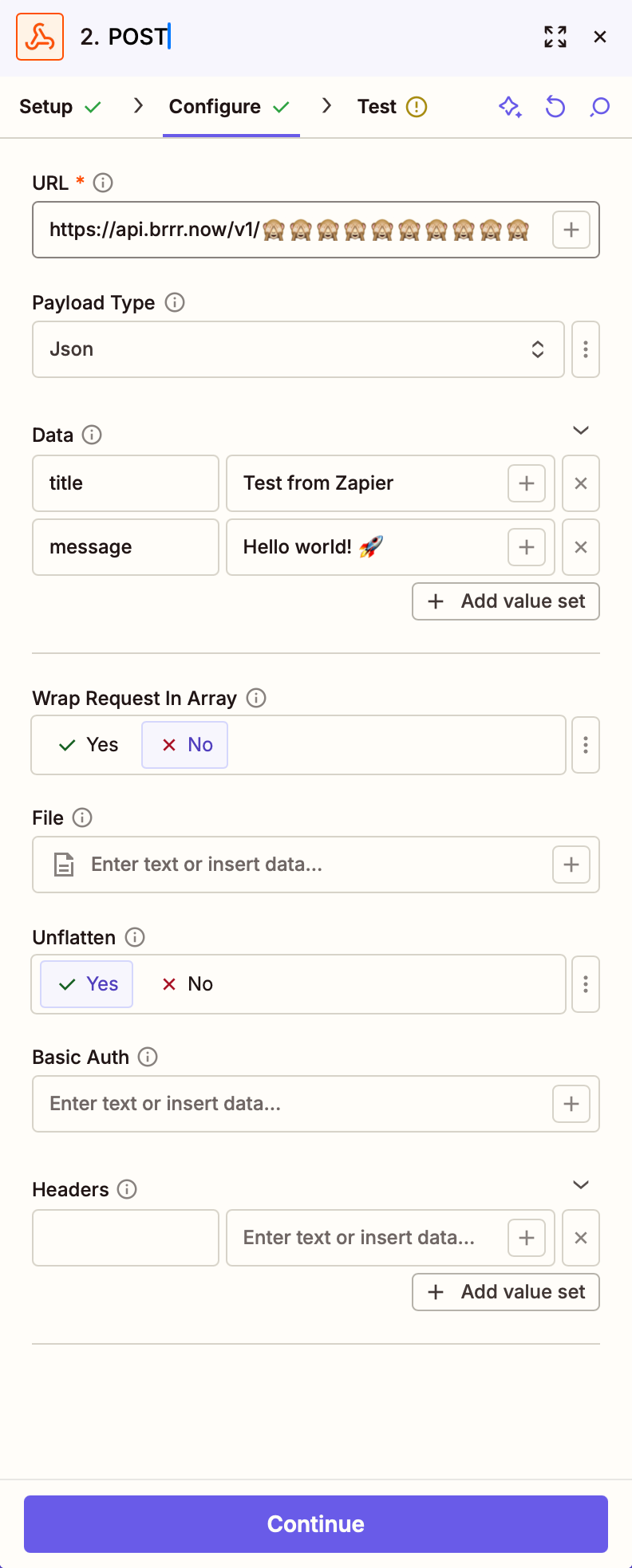
Zapier can send HTTP requests with Webhooks by Zapier. For brrr, use a POST action and point it at your webhook URL.
Paste your webhook into the URL field, set the payload type to JSON, and add the body fields you want to send.
For a minimal setup like the example screenshot, use these values:
- App:
Webhooks by Zapier - Action event:
POST - URL: your brrr webhook
- Payload Type:
Json - Data: add
messageand optionally other fields from the docs.
If you want more fields such as title, sound, or open_url, keep adding them to the data.
For the full list of supported payload fields, continue to Docs.
If you want to experiment with payloads first, the Send test notification section is the quickest place to start.